01
Open a project
Point Coban at a repository. It becomes a persistent project with its own tasks, history and settings — not a chat session that disappears.
Coban keeps projects, coding agents, tasks, the terminal, Git changes, review and project knowledge in one desktop workspace. Start with a single agent; the same model of work extends to agent teams later.
No download yet. We write once there is a signed build to install, and nothing else.
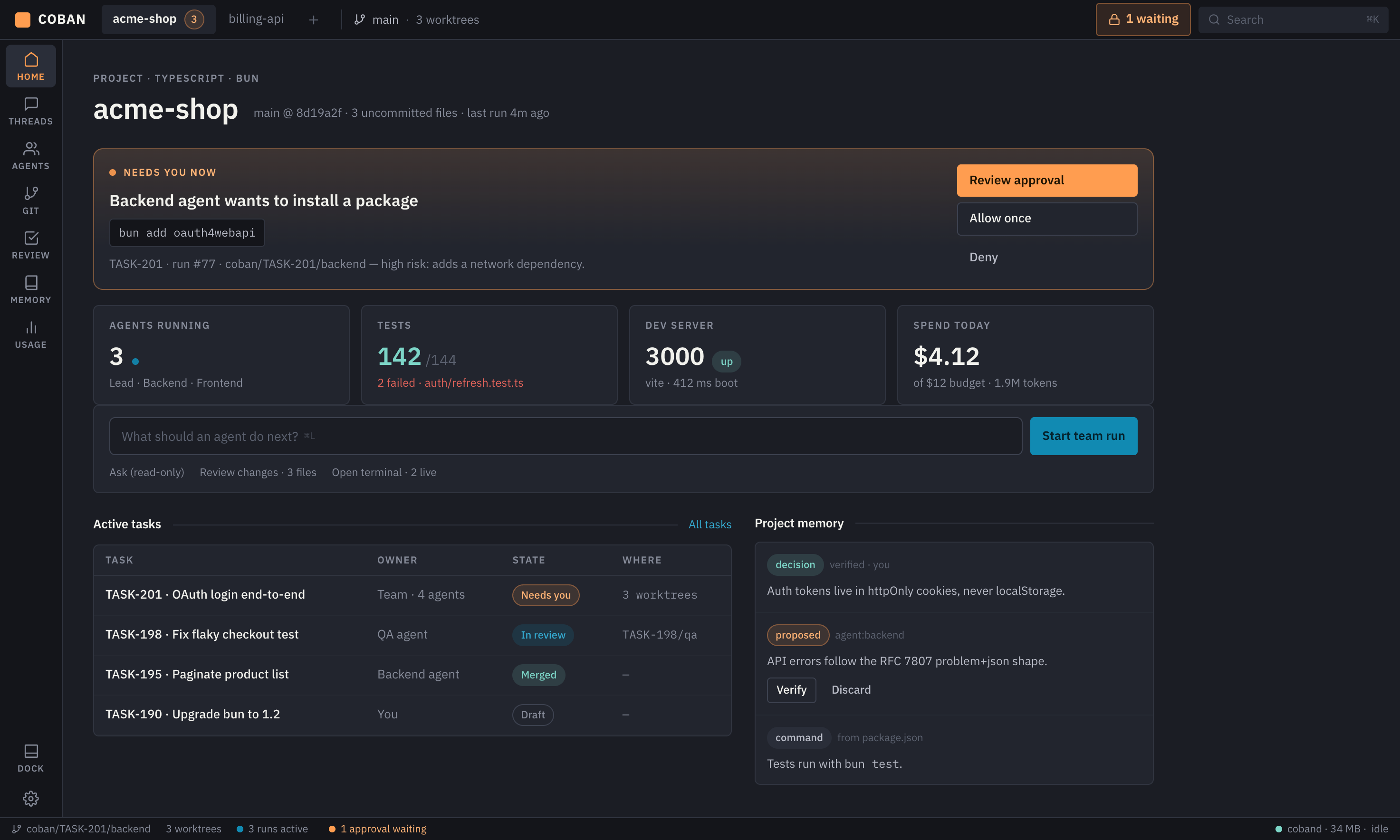
That loop is the whole first release. It should be useful even if you never switch providers.
Point Coban at a repository. It becomes a persistent project with its own tasks, history and settings — not a chat session that disappears.
Give the task to a coding agent. Permission-sensitive actions queue in an approval list instead of running quietly in the background.
Files touched, commands run, tests, diffs and decisions show up as they happen. The local service is the authority on run state, not the window.
Read the change as one package, approve or send it back, and pick the task up later with its context intact.
Agent output is only useful if you can inspect it. Every run leaves files, tests, diffs and decisions you can read.
A task is the unit of work: prompt, run history, produced files, tests and decisions stay attached to it. Close the app, come back tomorrow, open the task and keep going.
Changes, test output and open questions arrive as one package you read in a single place. Approval is bound to a specific diff — a later change invalidates it.
A real PTY next to the agent, not a log viewer. Run the build yourself, watch the process the agent started, keep both in the same project window.
Each run works in its own worktree, so parallel attempts do not fight over your working tree. Diffs are read against the branch the run actually started from.
Project knowledge the agent may read: conventions, decisions, known traps. AGENTS.md and CLAUDE.md stay your files — Coban proposes patches, you approve them.
Start with one agent. The same task model extends to agent teams with structured handoff and to defined flows, in later stages.
A capability documented by a provider still has to hold for the version, account type, platform and permission settings you actually run.
| Provider | Where it stands | Transport |
|---|---|---|
| Codex | First real integration. Local app-server with a structured API and generated schemas; the installed binary version is pinned. | app-server |
| Claude | Second path, through the documented SDK or a maintained ACP bridge. No dependency on private control messages, and no third-party use of your claude.ai session. | SDK / ACP |
| OpenCode | Documented stdio protocol. Compatibility is measured per provider rather than assumed from the protocol. | ACP |
| Others | ACP negotiates capabilities per version, so support is tested one provider at a time. An incompatible provider is never silently downgraded to a wider-permission mode. | ACP |
Coban runs on your computer and stores its data there. Remote access and team sync are later stages, and they will be opt-in when they arrive.
Projects, tasks, runs and events live in a local database. Nothing is uploaded for the product to work.
You bring your own agent access. Credentials go to the system keychain, not to a Coban server.
A separate worktree isolates working files; it is not an operating-system sandbox, and we will not describe it as one.
Permission-sensitive actions wait in a queue. Guarantees are claimed only for actions that can genuinely be checked.
Early access goes out to people working with more than one repository and reviewing agent changes themselves. If that is you, a line about your setup helps.
One email when there is something to install. No newsletter.